What is optical music recognition (OMR), and how does it work?
Optical music recognition (OMR) is the music version of OCR: a program looks at a picture of sheet music and works out which notes are written there, so that a computer can play, edit, or transpose them. This page explains how it works and why it is harder than reading text.
What OMR does
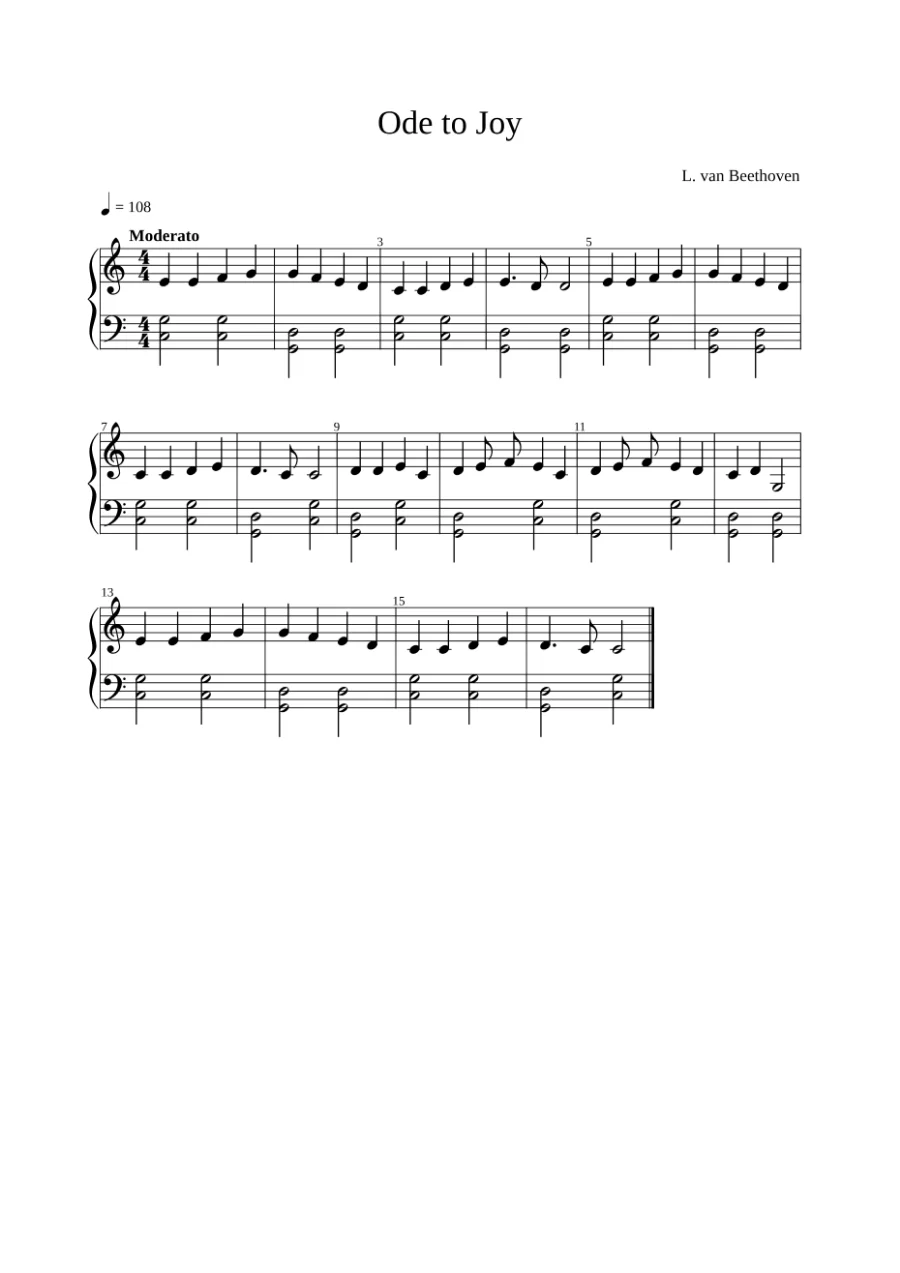
The input is an image: a scan, a photo, or a PDF page. The output is the music in a form a computer understands, usually MusicXML (see what MusicXML is) or MIDI. In between, the program has to find the staves, recognize every symbol, and put them together into measures, voices, and parts.
Why music is harder than text
- Position carries meaning. The same note head means a different pitch on each line and space, and a different pitch again under another clef or key signature.
- Music is two-dimensional. Text is read in one line; music has chords stacked vertically, several voices on one staff, and two staves read together on a piano score.
- Symbols overlap. Note heads sit on staff lines, beams join several notes, and slurs cross everything.
- Small marks change a lot. A dot after a note adds half its length; a sharp in the middle of a measure also applies to the later notes on the same line or space until the end of the measure.
- Everything must add up. Apart from special cases such as a pickup measure, the notes in each measure must fill exactly the time signature, so one missed flag throws the measure off.
How it works, step by step
- Preparing the image: adjust the brightness and contrast, and turn the photo into dark ink on light paper.
- Finding the staves: detect the five-line staves and group them into systems (for example the two staves of a piano part). In photos, the staves are also straightened when the page is curved or tilted.
- Recognizing symbols: find note heads, stems, beams, rests, clefs, accidentals, bar lines, and other marks.
- Understanding the music: work out the pitch of each note from its position, the clef, the key signature, and accidentals; the length from its shape, flags, beams, and dots; and divide the result into measures and voices.
- Writing the result: save it as MusicXML or another format.
From hand-written rules to machine learning
OMR has been researched since the 1960s. For a long time, programs used rules written by people: remove the staff lines, measure the remaining blobs, and compare them with templates of each symbol. This works on clean, printed scans but breaks easily on photos.
Recent systems use neural networks. A segmentation network marks every pixel of the image as staff line, note head, stem, and so on, which is robust to lighting and noise. A sequence model, similar to those used for reading lines of text, then reads a whole staff at once and writes out the symbols in order, so it learns how symbols relate to each other instead of relying on rules.
How this app does it
This app uses homr, an open-source OMR program designed for photos of sheet music taken with a camera. homr combines both ideas: a segmentation model finds the staves and symbols on the page, the staves are cut out and straightened, and a transformer model (an encoder and a decoder) reads each staff, writing its rhythm, pitch, and accidentals as a sequence. homr then builds MusicXML from those sequences.
homr is written in Python. The app runs it unchanged inside your browser: Python runs on WebAssembly with Pyodide, and the neural networks run with onnxruntime-web. Two of the models were shrunk to about a quarter of their size (from 32-bit numbers to 8-bit integers) with no change in the results on our test scores. That is why the first visit downloads about 130 MB, and why your sheet music never has to leave your computer.
The tempo marking is read separately with Tesseract, a text recognition program, because homr reads notes but not text.
What OMR still gets wrong
Even good OMR makes mistakes on blurred or tilted photos, dense piano music, small accidentals, triplets, and notes far above or below the staff. It does not read handwriting well, and lyrics and chord symbols are not read by this app. That is why the app lets you listen to the result and fix it: see photo tips and how to fix reading mistakes.